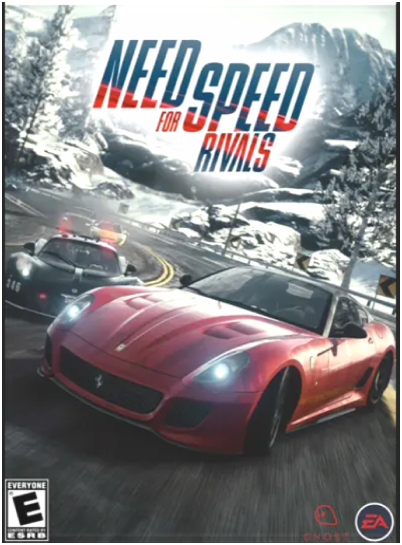
Need for Speed Rivals is one of the most thrilling racing games in the legendary Need for Speed series. Developed by Ghost Games and published by Electronic Arts (EA), this game combines the excitement of high-speed racing with intense police chases in a stunning open-world environment.
Game Information
- Game Name: Need for Speed Rivals
- Developer: Ghost Games & Criterion Games
- Publisher: Electronic Arts (EA)
- Release Date: November 19, 2013
- Platform: PC (Windows)
- Game Engine: Frostbite 3
- Genre: Racing / Action
- Game Mode: Single-player and Multiplayer (AllDrive System)
Overview
Set in the fictional Redview County, Need for Speed Rivals lets players experience both sides of the law — play as a Racer escaping the police or as a Cop enforcing it. The game’s seamless online integration allows players to race with or against others in real time, making every race unpredictable and exciting.
Key Features
- Choose to play as Cop or Racer
- Explore an open-world environment
- Dynamic weather and day-night cycle
- Customize cars and performance upgrades
- Experience AllDrive, which blends single and multiplayer gameplay
- High-speed chases and cinematic action sequences
Need for Speed Rivals PC System Requirements
Minimum Requirements:
- OS: Windows 7 (64-bit)
- Processor: Intel Core 2 Duo @ 2.4 GHz or AMD Athlon X2 2.8 GHz
- Memory: 4 GB RAM
- Graphics: NVIDIA GeForce 8800 GT or AMD Radeon HD 3870 (512 MB)
- Storage: 30 GB free space
- DirectX: Version 11
- Sound Card: DirectX compatible
Recommended Requirements:
- OS: Windows 10 / 11 (64-bit)
- Processor: Intel Core i5 Quad-Core or AMD FX Series
- Memory: 8 GB RAM
- Graphics: NVIDIA GeForce GTX 660 or AMD Radeon HD 7870 (2 GB)
- Storage: 30 GB free space
Installation Guide
Follow these steps to install Need for Speed Rivals on your PC safely:
- Download the Game
Visit an official source such as Origin, Steam, or another licensed digital store. - Extract Game Files
If the game is compressed, use WinRAR or 7-Zip to extract it. - Run Setup File
Open the setup file and follow the on-screen installation instructions. - Install Required Components
During setup, install DirectX, Visual C++ Redistributables, and .NET Framework if prompted. - Launch the Game
After installation, open the game, configure graphics settings, and enjoy smooth gameplay. - Play & Enjoy!
Pick your side — Racer or Cop — and experience thrilling car chases and high-speed races.
Game Review
Need for Speed Rivals received praise for its graphics, gameplay mechanics, and fast-paced chases. The dynamic weather system, realistic visuals, and seamless online experience make it one of the best racing games from EA.
Players love the choice between Racer and Cop modes, the car customization options, and the challenge of police pursuits. Even years after release, Need for Speed Rivals remains a favorite among racing fans worldwide.
Overall Rating: (4.5/5)